 Axon
AxonCustomization
Axon documentation
User Extensions
Extending Axon functionality from the user config folder.
Axon supports a declarative extension system. Extensions can add language support, themes, keybindings, and custom commands.
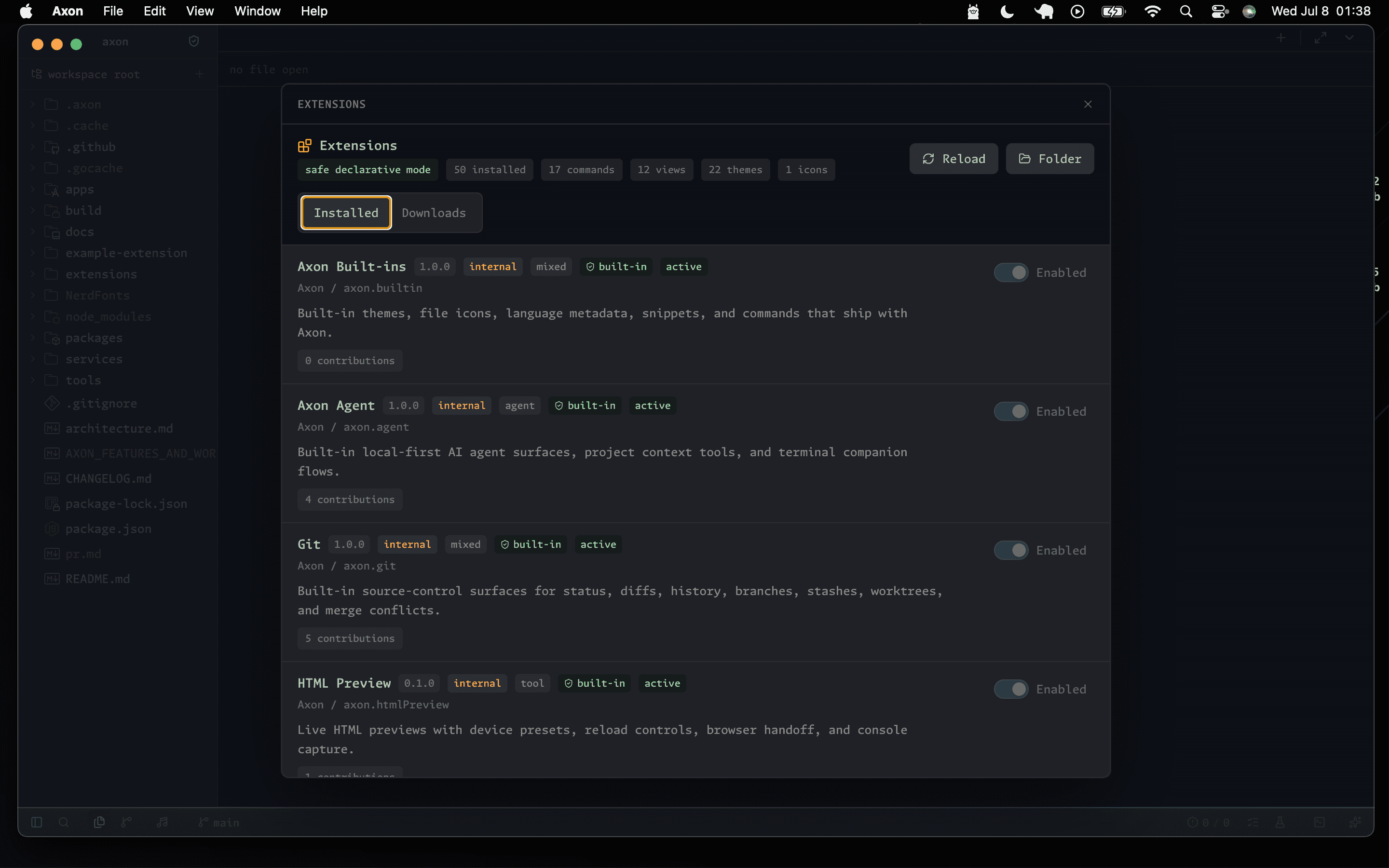
Installing Extensions
Use Open User Extensions Folder from Axon's Extensions surface to locate the platform-specific application-data directory. Workspace-local extensions live at:
<workspace>/.axon/extensions/Extension Structure
my-extension/
├── axon.extension.json
├── themes/
│   └── my-theme.axon-theme.json
├── snippets/
│   └── javascript.json
└── icons/
    └── file.svg
Manifest
{
  "$schema": "https://axoneditor.com/schemas/extension/v0.1.0.json",
  "id": "my-extension",
  "name": "My Extension",
  "publisher": "GordenArcher",
  "version": "1.0.0",
  "description": "Adds custom functionality",
  "contributes": {
    "themes": [
      {
        "id": "my-theme",
        "label": "My Theme",
        "path": "./themes/my-theme.axon-theme.json"
      }
    ],
    "snippets": [
      {
        "language": "javascript",
        "path": "./snippets/javascript.json"
      }
    ]
  }
}
Roadmap
Language tooling and workbench surfaces are progressively owned by built-in extensions. Axon discovers built-in, user, workspace, and bundled local-marketplace packages, but executable third-party extensions remain blocked until the isolated process host and permission model are complete.