 Axon
AxonFeatures
Axon documentation
Git Integration
Git status, diffs, history, and agent-assisted commits.
Axon includes built-in Git support for version control workflows. You can view changes, inspect diffs, browse a commit graph, manage branches, stashes, worktrees, conflicts, and draft commit messages without leaving the editor.
File Tree Status
- Green: modified files.
- Red: deleted files.
- Blue: untracked files.
- Gray: ignored files.
Gutter Markers
- Green bar: added line.
- Red bar: removed line.
- Blue bar: modified line.
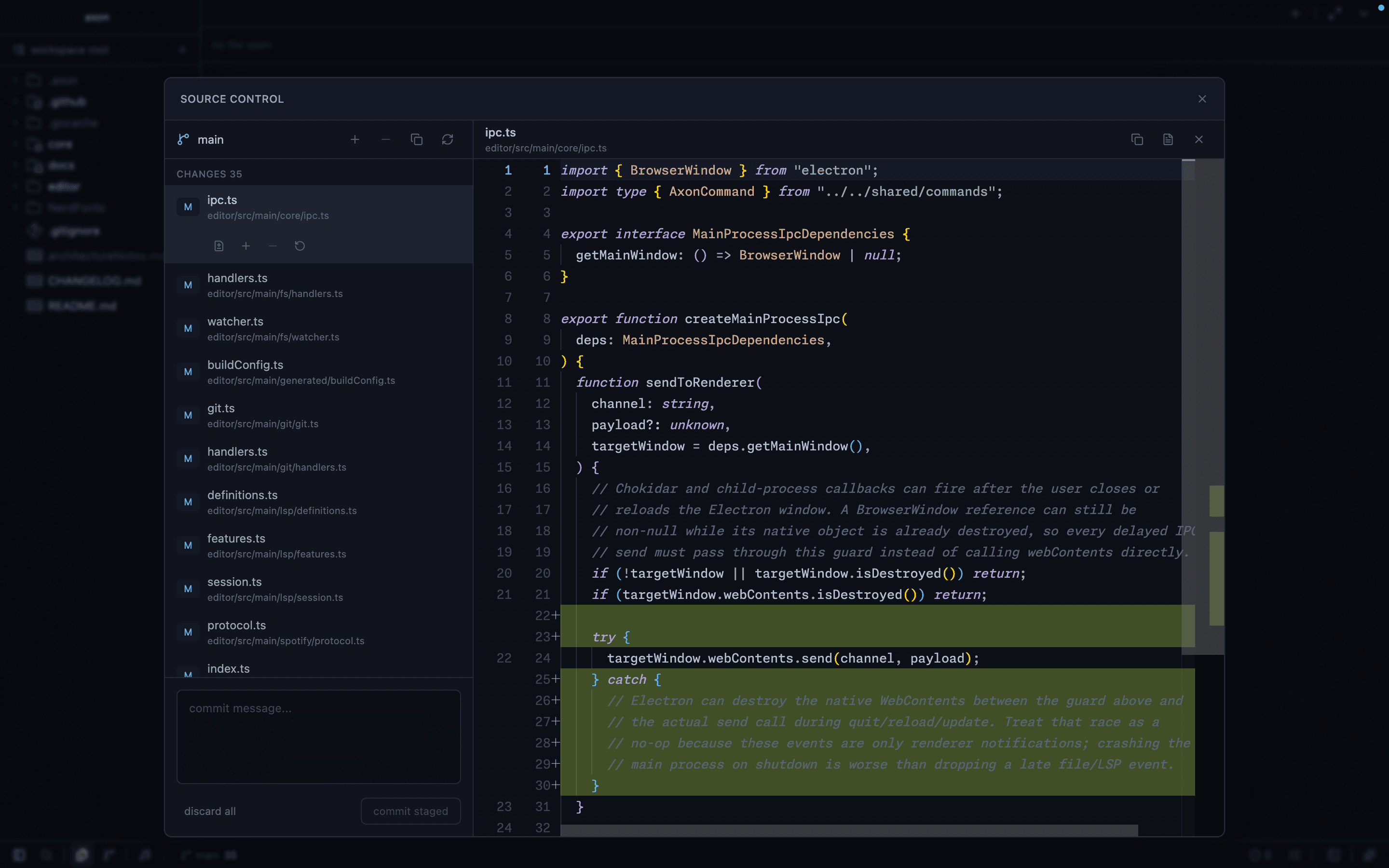
Source Control Panel
- View all changed files.
- Stage and unstage changes.
- View inline diffs.
- Write commit messages and commit.
- Push and pull from remotes.
- Inspect branch information.
- Open the Git graph as a normal editor tab.
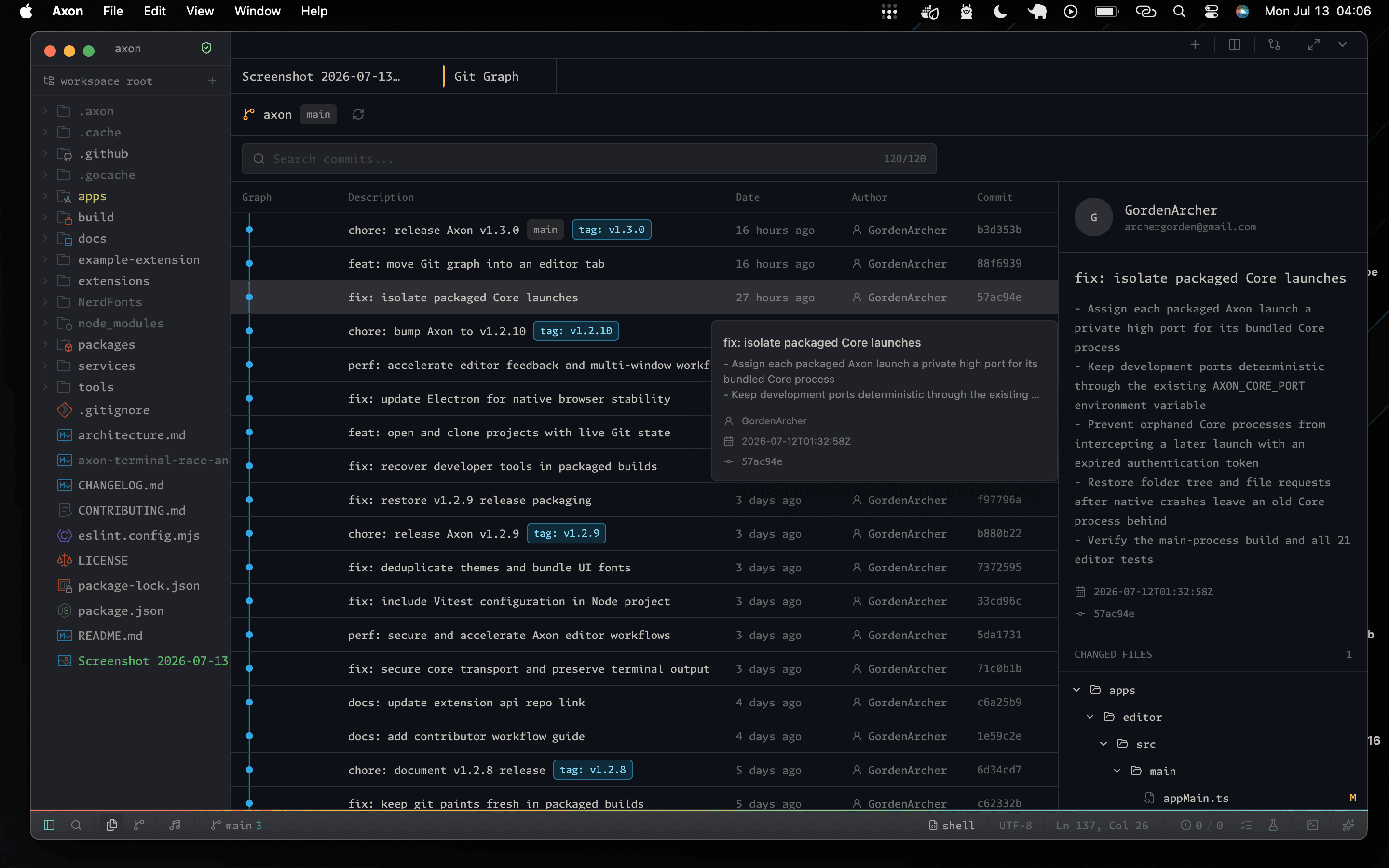
Commit Graph
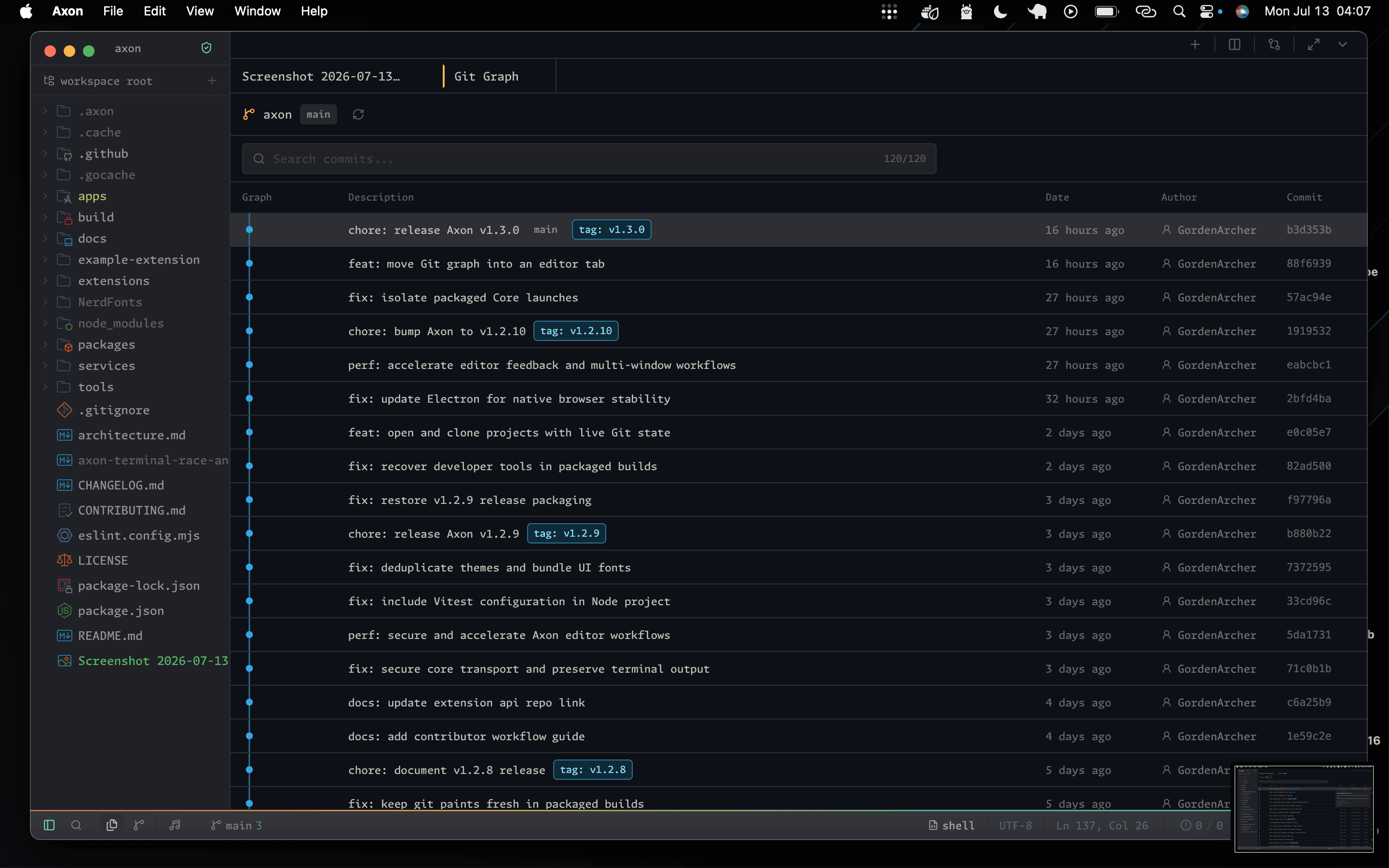
- Search commits by subject, author, hash, branch, or tag.
- Inspect graph lanes, references, dates, authors, and short hashes in a stable table.
- Rest the pointer or keyboard focus on a commit for two seconds to see a preview without selecting it.
- Select a commit to open its independently scrollable details pane.
- Browse changed files in their real, collapsible repository folder structure.
- Select a changed file to open its commit-specific historical comparison view.
Agent-Assisted Commits
Axon Agent can draft commit messages from the current Git diff. The terminal command axon commit reads staged changes, streams a message draft, and asks before running git commit.
Still Improving
Active Git work includes richer conflict resolution, safer stash flows, cherry-pick and rebase flows, fuller worktree management, and later pull-request review integration.